Image Context Menu
February 19, 2023
Last updated on August 15, 2026
Right-click an image to display its context menu. OneMore commands appear at the top of this menu as shown here.
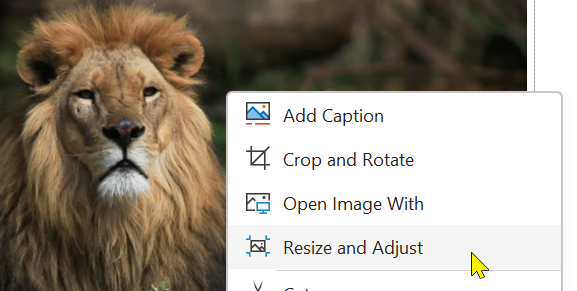
Add Caption
See also Image Commands
Adds a caption to the selected image.
Crop and Rotate
See also Image Commands
Opens an image editing window that allows you to precisely crop an image
Open Image With
See also Image Commands
Opens the selected image in an external image viewer/editor.
Edit Images
See also Image Commands
Resizes and adjusts one or more images on the page.
Stylize
See also Image Commands
Applies the specified styling to one or more images on a page.
#omwiki #ommenus
© 2020 Steven M Cohn. All rights reserved.
Please consider a sponsorship or one-time donation to support ongoing development
Created with OneNote.